
kumiko findings, action queue and AI models
By the end of this page, you understand how kumiko finds what needs attention, how a finding becomes a task and exactly when an AI model sees client data. Delivery leads and specialists use the first half every day. Admins and data protection officers should read the second half.
The analyst briefing
The Today view is each user’s start page. It greets you with the number of accounts that need attention, and it shows the analyst briefing: the three findings with the most money at stake.
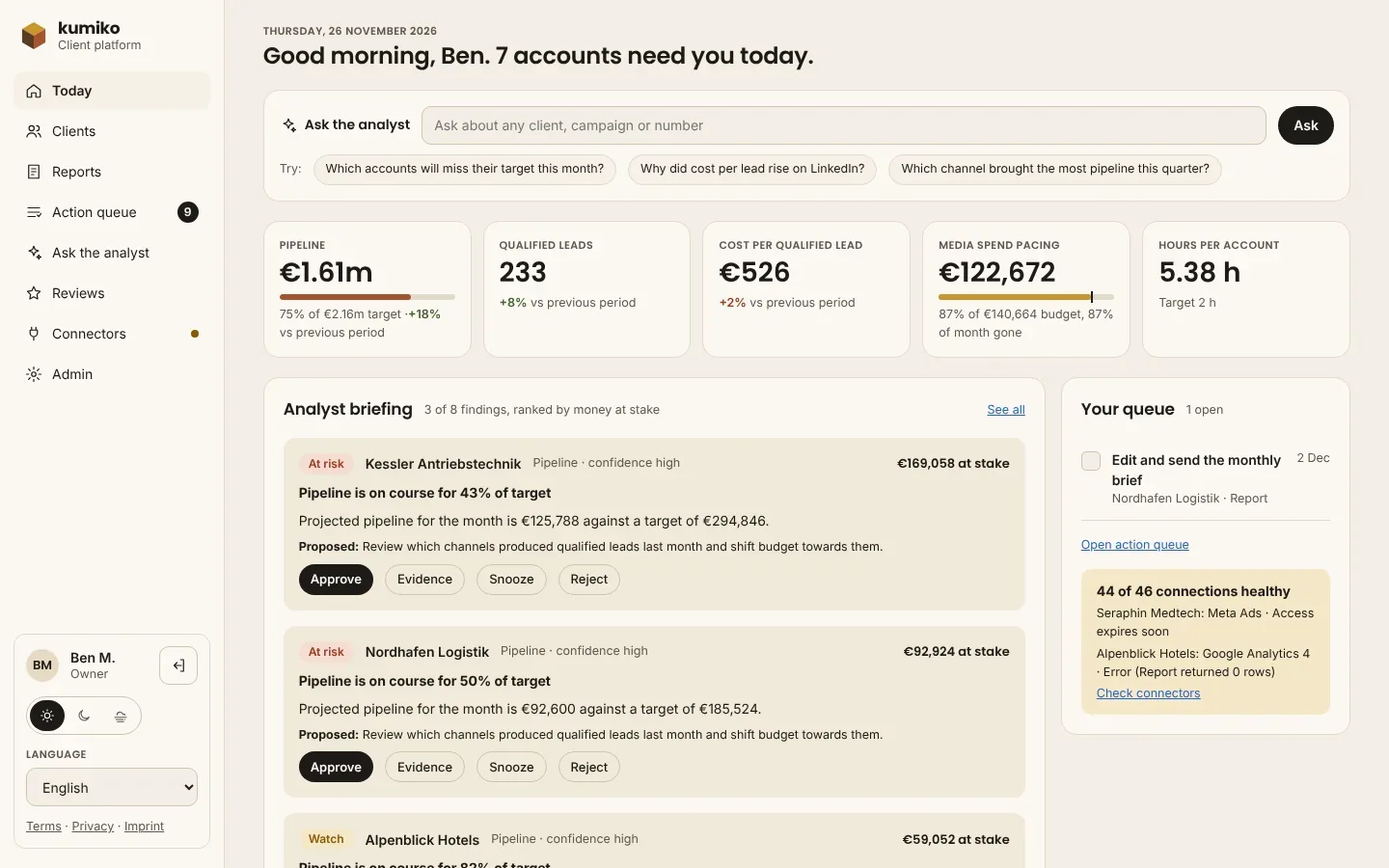
Each finding shows a severity, the money at stake, a short description of what changed and a proposed next step. Evidence opens the numbers behind it, so you can check it before you act.
The five kinds of finding
Every day, kumiko looks for:
- rising cost per lead by channel;
- overspending or underspending against the budget;
- pipeline behind target;
- a drop in AI search share;
- connections that stopped syncing.
Findings do not need AI
The findings come from rules, not from an AI model, so they work without AI. If a model is connected, it only rewrites the finding in plain language. Each user reads findings in their own language.
Findings about pipeline and budget depend on the monthly targets and budgets you set for each client. See the clients page.
Approve, snooze or reject
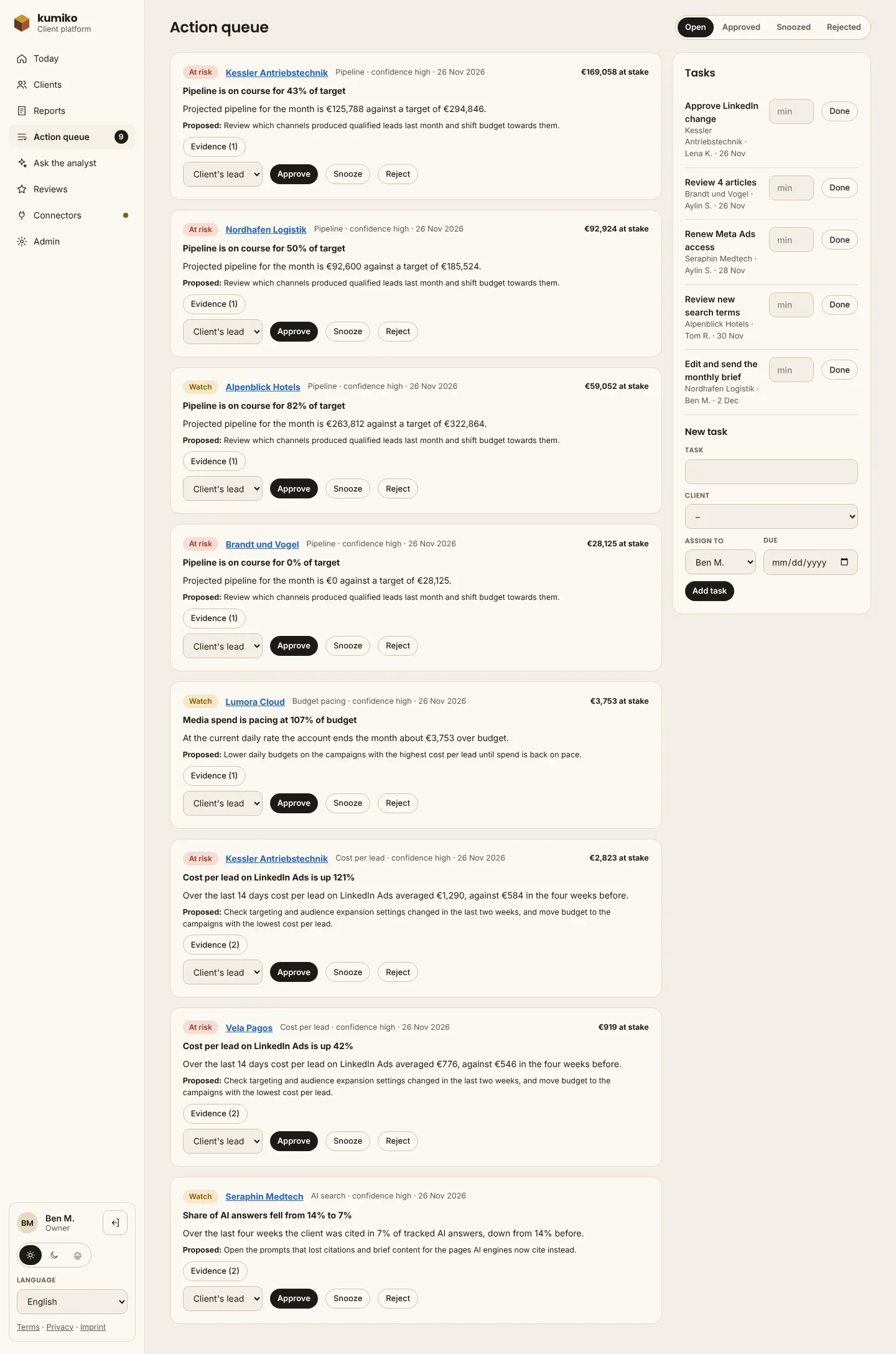
For each finding you can approve it, snooze it or reject it.
- Approve turns the finding into a task with an owner and a due date.
- Snooze puts the finding off until later.
- Reject closes it without a task.
The Action queue lists the open findings and your tasks. Use the tabs to see approved, snoozed and rejected findings. You can also add a task of your own, with a client, an owner and a due date.
Ask the analyst
Open Ask the analyst in the sidebar and ask a question in plain language. The Today view suggests examples, such as “Why did cost per lead on LinkedIn go up?”.
kumiko answers from its own database and shows the queries behind every number, so you can check the answer. The model never writes the database queries itself.
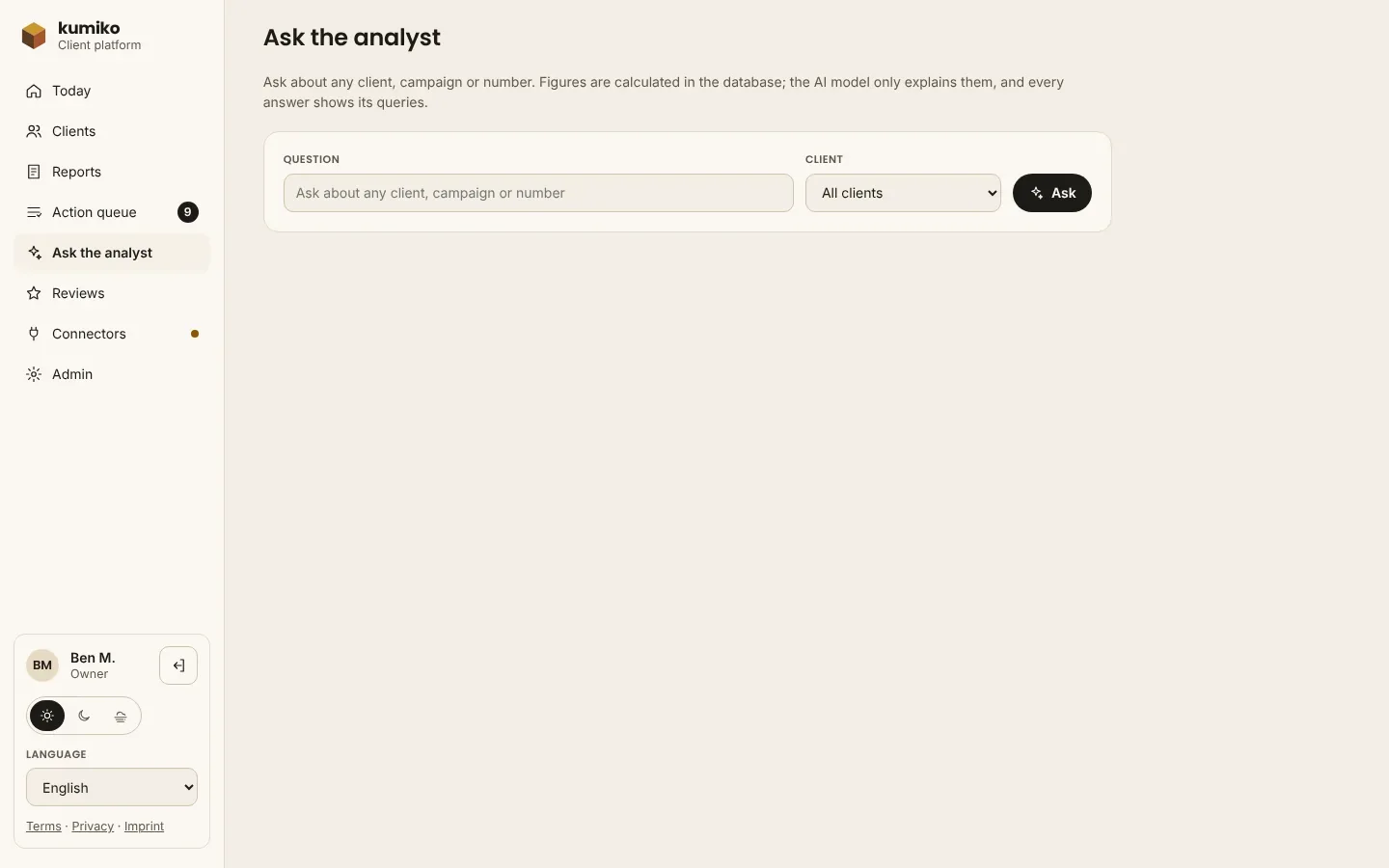
Ask the analyst needs an AI model. Until you add one, the page is empty.
AI models and the AI policy
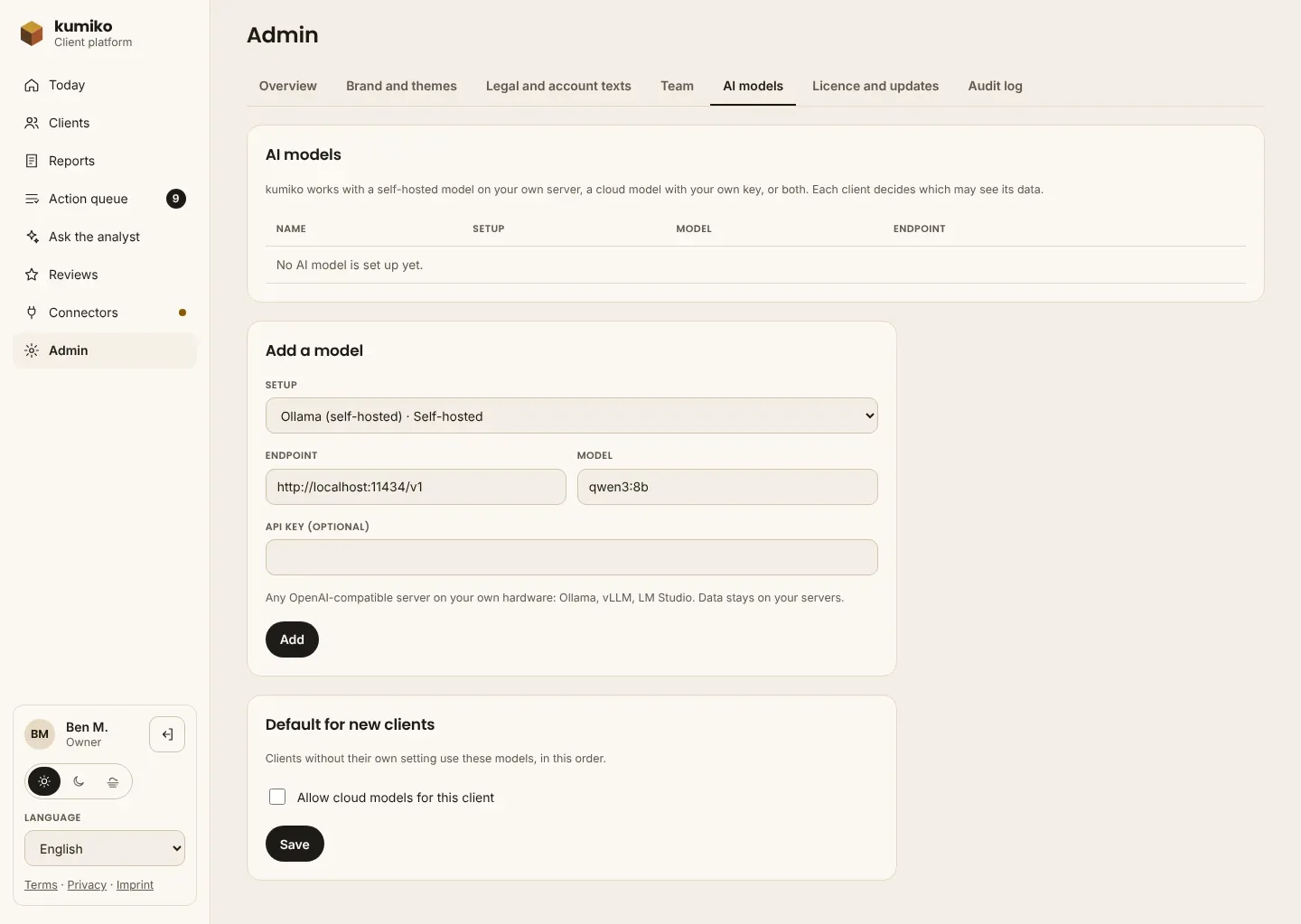
AI is optional. Reports, connectors, findings and the action queue work without it. Add a model under Admin, then AI models.
Two kinds of model
- Self-hosted model. Any OpenAI-compatible server on your own hardware, such as Ollama, vLLM or LM Studio. It is available on every plan, and the data stays on your servers.
- Cloud model. A model you use with your own API key: Anthropic, OpenAI, Google Gemini, Mistral, Perplexity or any OpenAI-compatible API. kumiko stores the keys encrypted.
The AI policy per client
Each client has an AI policy. It decides which kinds of model may see that client’s data, and in which order kumiko tries them. A client whose data must stay on premises gets the self-hosted model only.
kumiko never falls back to a model the policy does not allow. You set the default for new clients under Admin, AI models, and change it for a single client in the client’s settings. A new client does not allow cloud models until you tick Allow cloud models for this client.
The AI log
kumiko logs every AI call with the model, the tokens, the duration and the result. The admin overview shows the number of AI runs in the last 30 days.
In short, for a data protection officer
- Client data stays on your server.
- It reaches an AI provider only if you added that provider and the client’s policy allows it.
- Findings do not use AI. A model only rewrites them.
- The model does not write the database queries.
- Every call is logged.
FAQ
Which model should I start with?
If client data must stay on your servers, start with a self-hosted model. You can add a cloud model later for clients whose policy allows it.
Does AI change the numbers?
No. The numbers come from your connected sources and from rules. A model rewrites findings in plain language and answers questions from kumiko’s own data, with the queries shown.
What does AI cost?
It depends on the provider you choose. kumiko logs every call, so you can see how much it is used.
Can I use AI without sending data to the cloud?
Yes. Add a self-hosted model and leave cloud models off in the client’s policy.
Do findings work in my language?
Yes. Each user reads findings in their own language.
Questions? Write to kumiko@kodokalabs.com.
Next: the reviews module.