
kumiko reviews: answer every review from one inbox
By the end of this page, you can answer a client’s reviews from kumiko, with a draft you edit and approve before anything is published. The reviews module is a paid add-on. You find the prices on the kumiko page.
Before you start
- The reviews module is on for the client, in the client’s settings under Modules.
- The client’s review platform is connected. See the connectors page.
Connect Google and Trustpilot
Connect Google Business Profile or Trustpilot on the connectors page. Reviews then arrive by themselves. An approved reply is published on the platform from kumiko, if the location is connected under Connectors.
For Trustpilot, publishing replies needs a business user who signs in once.
The inbox
Open Reviews in the sidebar. Choose a client and a filter, for example “Waiting for a reply”. The top of the page shows the average rating, the number of reviews and how many are without a reply.
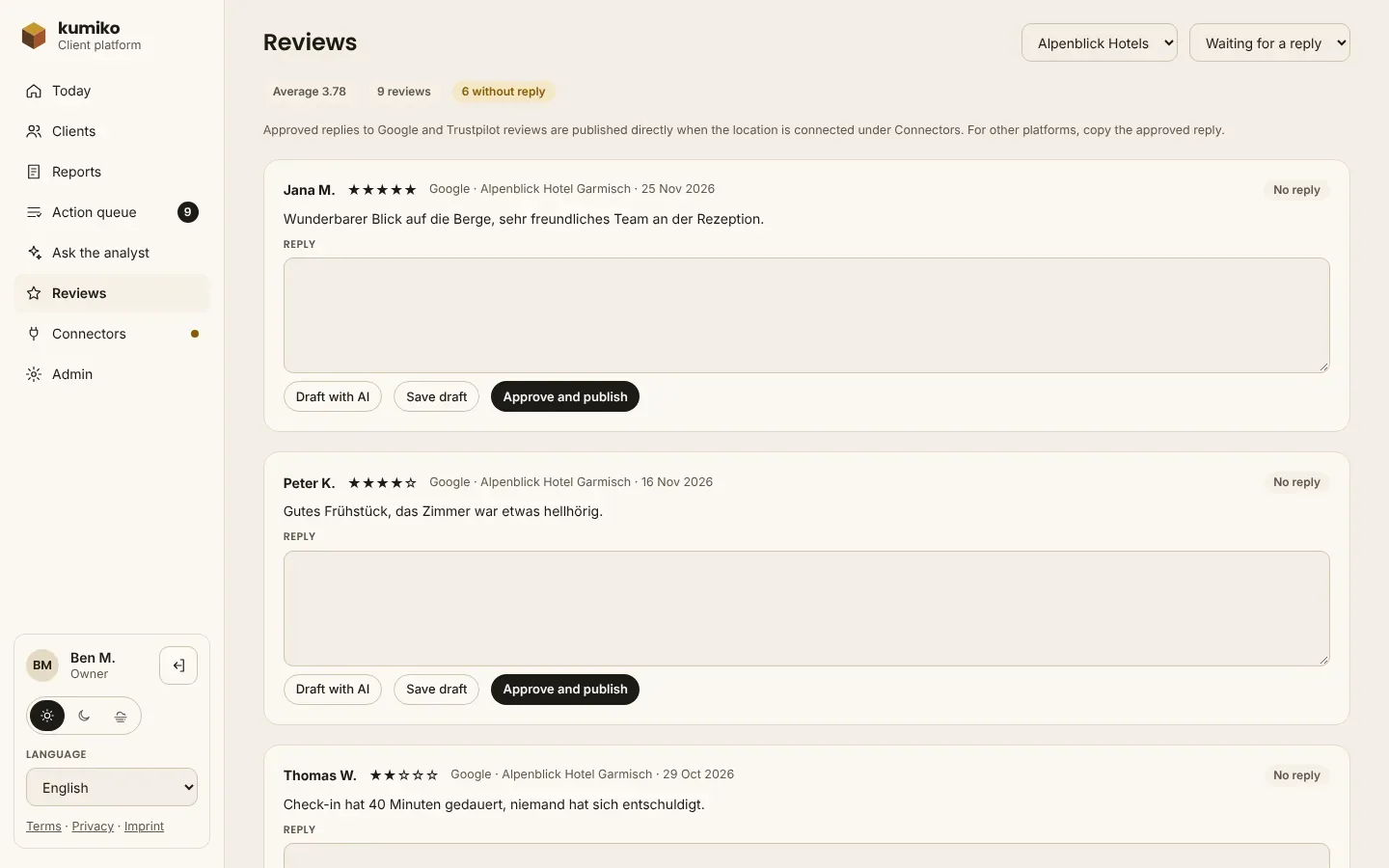
For each review, you can:
- Draft with AI. kumiko writes a reply draft in the language of the review. This needs an AI model.
- Edit the draft. A person always edits and decides. You can also write the reply yourself.
- Save draft to come back later.
- Approve and publish to send the reply to the platform.
Nothing is published without approval.
Other platforms
Apple Maps, Yelp, Tripadvisor and Facebook reviews can be imported by CSV. Use these columns: date, author, rating, text and, optionally, an id. For these platforms kumiko cannot publish. Copy the approved reply and post it on the platform by hand.
Ratings in reports
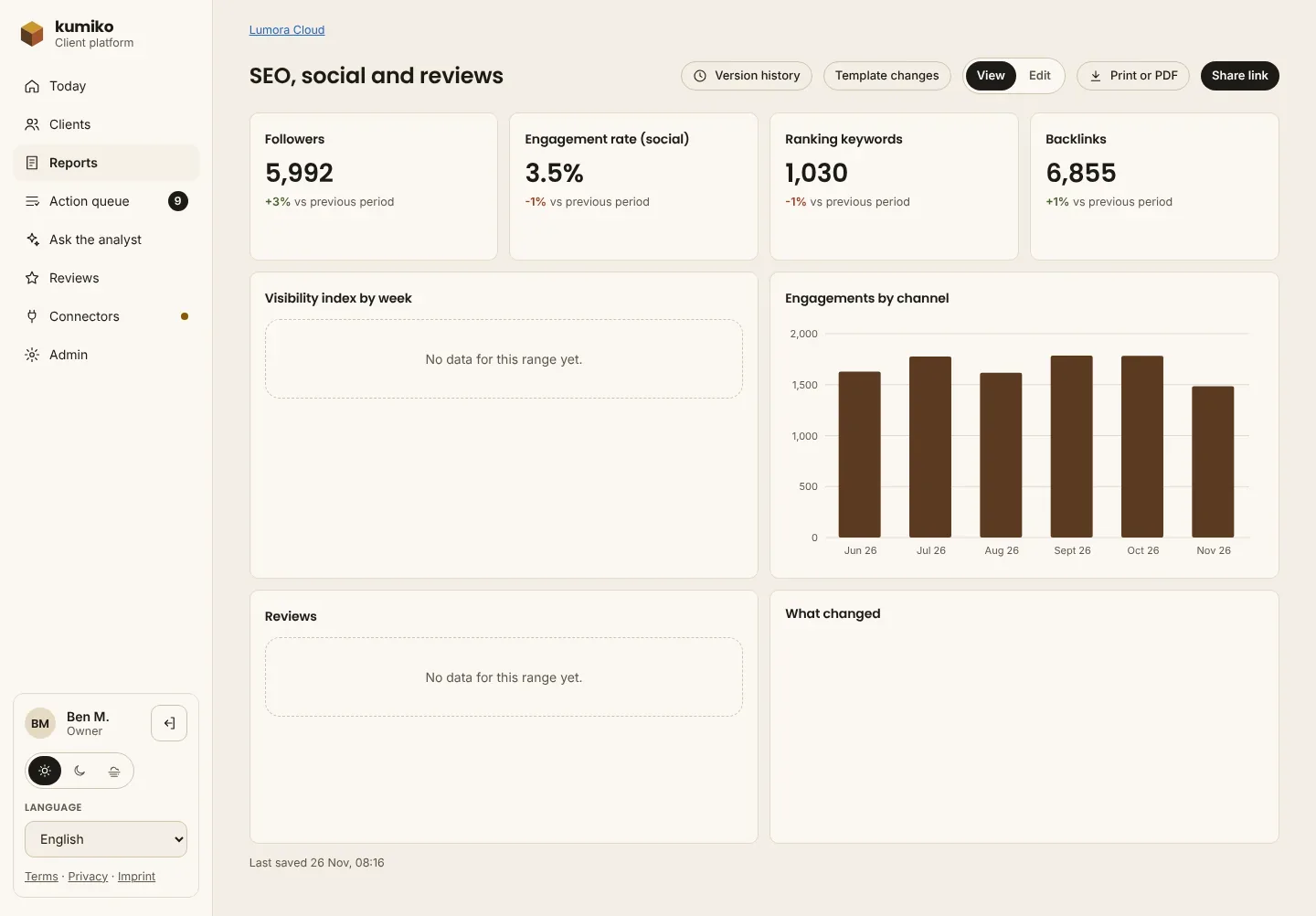
Reviews appear in reports: new reviews, the average rating, the rating on the platform and the reply rate. The “SEO, social and reviews” template shows them together with followers and search figures.
Clients and replies
Clients with the reviews module can draft, approve and publish replies for their own company. Give them a login from the client’s settings. See the clients page.
FAQ
Is anything published without approval?
No. A reply is published only after a person approves it.
Can a client approve replies?
Yes, for their own company, if the reviews module is on for them.
In which language is the draft written?
In the language of the review.
Which platforms publish directly?
Google and Trustpilot. For Apple Maps, Yelp, Tripadvisor and Facebook, you import the reviews by CSV and copy the approved reply by hand.
What happens to reviews if the licence ends?
Licensed modules such as reviews switch off until a valid key is installed again. Your data stays in place.
Questions? Write to kumiko@kodokalabs.com.